
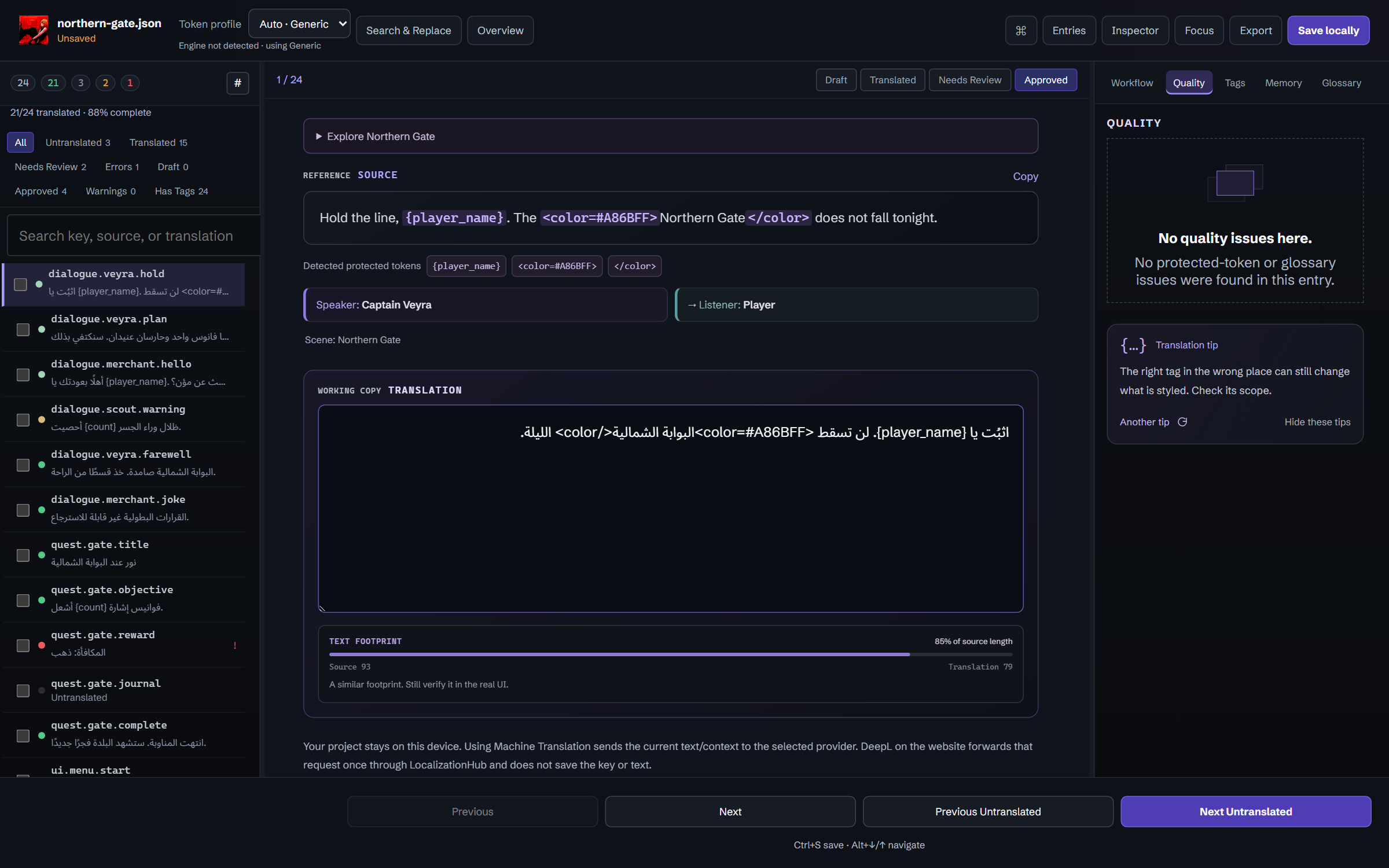
Hold the line, {player_name}. The Northern Gate does not fall tonight.
اثبُت يا {player_name}. لن تسقط البوابة الشمالية الليلة.
{player_name}Independent text direction
LocalizationHubOpen the editorA workspace for game translators
Translate game dialogue, keep terminology consistent, and catch broken variables before export. Work locally, or share a project with your team.
Hold the line, {player_name}.
Keep {player_name} in your translation. Try removing it to see the check.
Keep these in your translation
{player_name}PresentChoose a file type or game engine to check support and find the right editor.
In your browser
Open JSON, CSV, or PO in the browser. You can also return to a project saved here. No account needed.
Three game lines, in three formats. Download one, then open it in the editor.
Explore Northern GateEngine support, stated plainly
| Engine | Reads and extracts |
|---|---|
| GodotSupported | Scenes, CSV, PO, JSON databases and INKB dialogue, read natively. Unpacking a PCK uses GDRE, which you install and configure. |
| UnrealSupported | LOCRES, LOCMETA and String Table CSV, read natively. PAK and IoStore need repak or retoc; some UE5 asset versions stay partial. |
| UnityPartial | Localization tables, TextAsset JSON and CSV, and Ink, read natively. AssetBundles need UnityPy, and assets with a stripped type tree stay unreadable. |
Supported means validated end to end on real game files. Partial means some variants work, with the limits written down. Helper tools run on your machine and are configured by you.
Write-back is always localization files — JSON, CSV, PO or an .lhproj project. The game’s own resources are never rewritten.
READ-ONLY EXTRACTION Extraction reads supported text into a new project. It does not change the original game files.
Choose a game folder in the desktop app.
INPUTIdentify the engine and find supported text resources.
ScanChoose the text to import and check its context.
Extraction reviewCreate a LocalizationHub Project ready to translate.
READY TO TRANSLATESupport varies by engine and file format. The scan results show what was extracted and what could not be read.
See the speaker and scene when the file includes them. Keep the dialogue natural and check variables and text tags before export.
Hold the line, {player_name}. The Northern Gate does not fall tonight.
اثبُت يا {player_name}. لن تسقط البوابة الشمالية الليلة.
{player_name}Independent text directionPick up where you stopped, keep terms consistent, and leave useful notes for the next review.

Draft, Translated, Needs Review, or Approved: give each entry a status so everyone knows what is ready.
Keep character and place names in a glossary. Reuse earlier wording from Translation Memory instead of translating it again.
Assign entries and leave comments where they belong. Review changes or restore an earlier translation when needed.
Search by text, status, or tag. Select several entries to update them together.
Open files without uploading them. Web projects stay in this browser, so export a backup before clearing browser data. The installed desktop app also works offline.
LOCAL-FIRSTInvite your team to a shared project. Owners manage access, Editors translate, and Viewers can read without changing anything.
OPTIONAL CLOUDPractical reminders for dialogue, terminology, and review.
The Windows app is currently available to approved testers. The browser editor remains publicly available.
The installed desktop app works offline with local files. Loading the website, Cloud Projects, sign-in, LH Radio streaming, and online translation services require a connection.
Local web projects stay in the browser where you saved them. They do not appear in another browser and may be lost if its data is cleared. Export a copy for backup.
LocalizationHub keeps provider API keys in memory only and does not store the text you translate. DeepL on the website briefly passes the session key and current text through LocalizationHub to DeepL when you press Translate; neither is kept. The provider’s own policy still applies to what you send.
Open your file in the editor, or try the Northern Gate sample. No account needed.